


A lost, stolen, or damaged parcel is a source of stress for any professional. It breaks the promise you made to your customer and puts your profitability at risk. At Claisy, we have designed our Dispute reporting process Dispute be as simple, fast, and transparent as possible. The goal: to enable you to resolve the situation and satisfy your customer without wasting any time.
This comprehensive guide provides step-by-step instructions on how to open a Dispute file Dispute your Claisy interface.
Reporting Deadlines: The Golden Rule for Guaranteed Coverage
Before starting the process, it is crucial to know the deadlines for your claim to be admissible. Meeting these deadlines is the first requirement for successful compensation.
The Right Thing to Do: Always Report the Incident to Carrier
The Declaration Process: 5 Simple Steps
Once you have familiarized yourself with the deadlines, here are the steps to follow directly in your Claisy interface.
Step 0: Log in and go to the disputes section
Goto the Claisy platform and log in using your usual credentials.
In the main menu, go to the " disputes section, then click on the "Open a Dispute submenu.
Step 1: Find your parcel
Use the search bar to find the shipment you're looking for. You can use the invoice number, tracking number, etc.
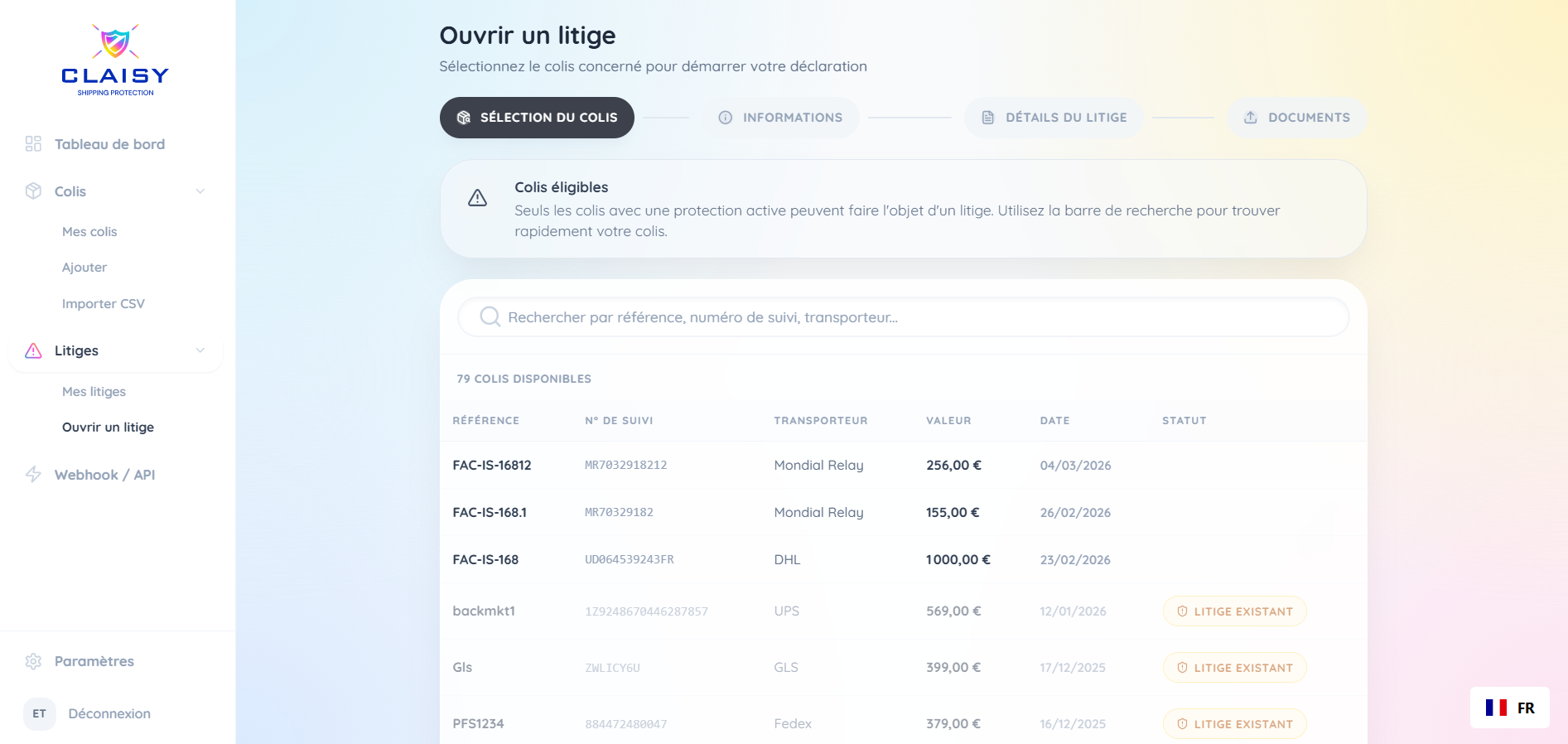
Step 2: Confirm the shipping information
Once you have selected the parcel, the shipping label information will be displayed. Check that it is correct and confirm to proceed to the next step.
Step 3: Describe the incident and the damage
This is where you tell us what happened.
- Select the reason for Dispute (loss, damage, etc.)
- Enter the weight of the parcel
- Indicate the amount of compensation you are seeking (corresponding to the loss suffered and not exceeding the amount covered)

Step 4: Upload supporting documents
Now is the time to download the necessary documents. To find out exactly which documents are required, refer to the drop-down menu at the end of this article.
Step 5: Receive a response and your compensation
Once you have submitted your complete file, you will receive a response from our teams regarding its acceptance within 48 business hours. Following a favorable decision, your compensation will be paid within 72 business hours.
Required Supporting Documents by Type of Dispute
To ensure your case is processed quickly, it is essential that you prepare the correct documents. Click on the type of Dispute applies to you to see the list of required and recommended documents.
💡 Good to Know: Special Cases
- IF YOU DO NOT USE AN AUTOMATED CONNECTION WITH CLAISY (via API or CMS connector), we will likely ask you for additional documents such as the invoice and shipping slip!
- IN THE EVENT OF A DELAY IN YOUR PARCEL DELIVERY, we recommend that you report the delay to your Carrier shipping broker AND open a "draft" Dispute Claisy: you are not required to upload any documents to do so. The date on which the draft is opened will be used to investigate your Dispute will allow you to remain within the 30-day coverage period.
- IF THERE IS ANY DOUBT ABOUT THE ACCURACY OF THE SUPPORTING DOCUMENTS or if we suspect manipulation, our teams reserve the right to request additional documents to ensure the legitimacy of the claim. Transparency is the key to a successful partnership. The documents requested above are the minimum required for us to investigate a case, so we may ask you for additional information in order to conduct our "investigation" in the best possible way.
- IF DOCUMENTS ARE BLOCKED BY A MARKETPLACE, please send us the correspondence with your customer that you have in your Inbox.
- IF TRACKING IS NOT AVAILABLE VIA CLAISY, you will be asked for details of the pickup and proof of delivery (PoD) if applicable.
This article is for informational purposes only and does not replace your contract or its specific terms and conditions.